See where your Wi-Fi fails. In augmented reality.
Walk through the space with your phone and see, through the camera, the Wi-Fi painted on the floor: where video calls, video and games will stall, and what fixes it.
Measure hereTap a measured spot to see its score, or anywhere on the map.
A real space, measured with a smartphone.
Three steps, from the problem to the fix.
No floor plan, no extra gear: just your phone and a few minutes on site.
10:08Walk. Phone in hand, walk through the space. Through the camera, in augmented reality, the signal shows up painted on the floor as you go, and becomes the map. 20:55Measure. At any spot, one tap on Measure here tells you whether video calls stutter, video stalls or games lag right there. 33:26Fix. When you finish, the map points out the weak zones and what to do about each one: move the access point or add another.
Learn more
What is WiTrace's augmented reality?
It's the Wi-Fi seen through the camera: as you walk, the app paints the floor in the color of the measured signal, so you see right away where it drops. At the end of the walk, the same light becomes the map of the space.
Which phones does WiTrace run on?
Android 10 or newer with Google’s ARCore, and iPhone with iOS 17 or newer, in portrait.
Why does the iPhone ask for a shortcut?
Apple does not give apps the Wi-Fi signal. A shortcut in the Shortcuts app reads the signal and hands it to WiTrace; you add it with one tap. Without it, the iPhone measures the experience, but not the signal in dBm.
What is the USB drive server for?
To measure just the Wi-Fi, without the internet in the way. It runs from a USB drive on a computer on the same network, on Mac, Windows or Linux, and the app finds it on its own.
How do I send a walk to someone?
On the walk’s Result, tap Share: you get the PDF report, or the report with the walk’s logs.
Where are my walks kept?
On your phone. Discarding a walk sends it to the app’s bin, emptied the next time the app opens.
Does WiTrace depend on the router’s brand?
No. It measures from the phone, with whatever router is there.
Green works. Red stalls.
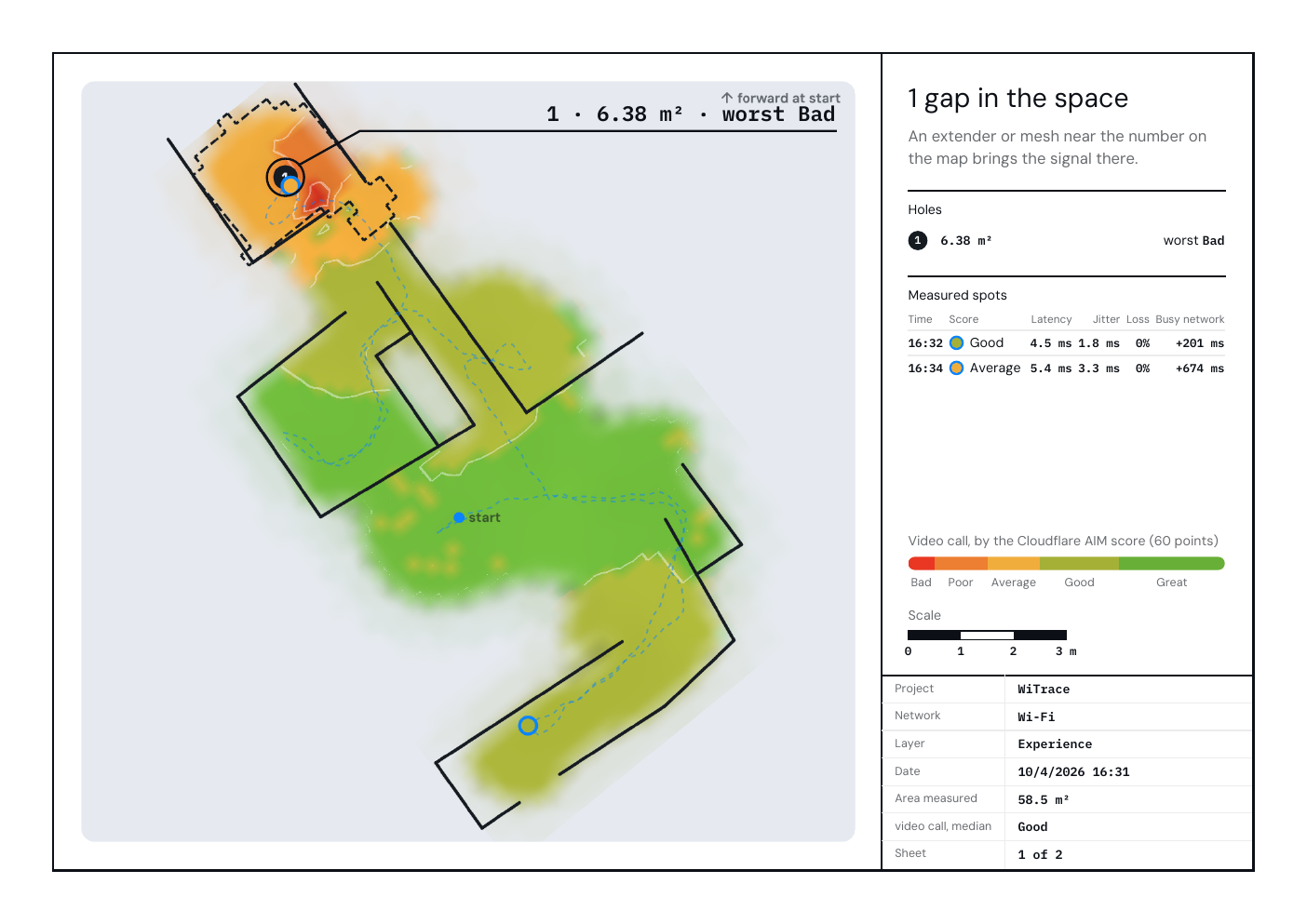
Every spot on the map gets a score, from Bad to Great, for video calls, video and gaming. In green, everything flows. In red, calls drop, video stops and games lag.
- Bad
- Poor
- Average
- Good
- Great
- Video call
- picture and voice come through without cutting out, even with someone else using the network.
- Video
- the movie or show doesn’t stop to load.
- Gaming
- your input gets there right away, without lag.
In this space's weakest corner, video calls only reach Average. What about where you are? Tap Measure here.
Measure here
Measure this device’s connection now: response time, download and upload speed, and the score for video calls, video and gaming.
- Latency—
- Download—
- Upload—
Want to measure just the Wi-Fi? Use the WiTrace server on a USB drive.
And know what to do.
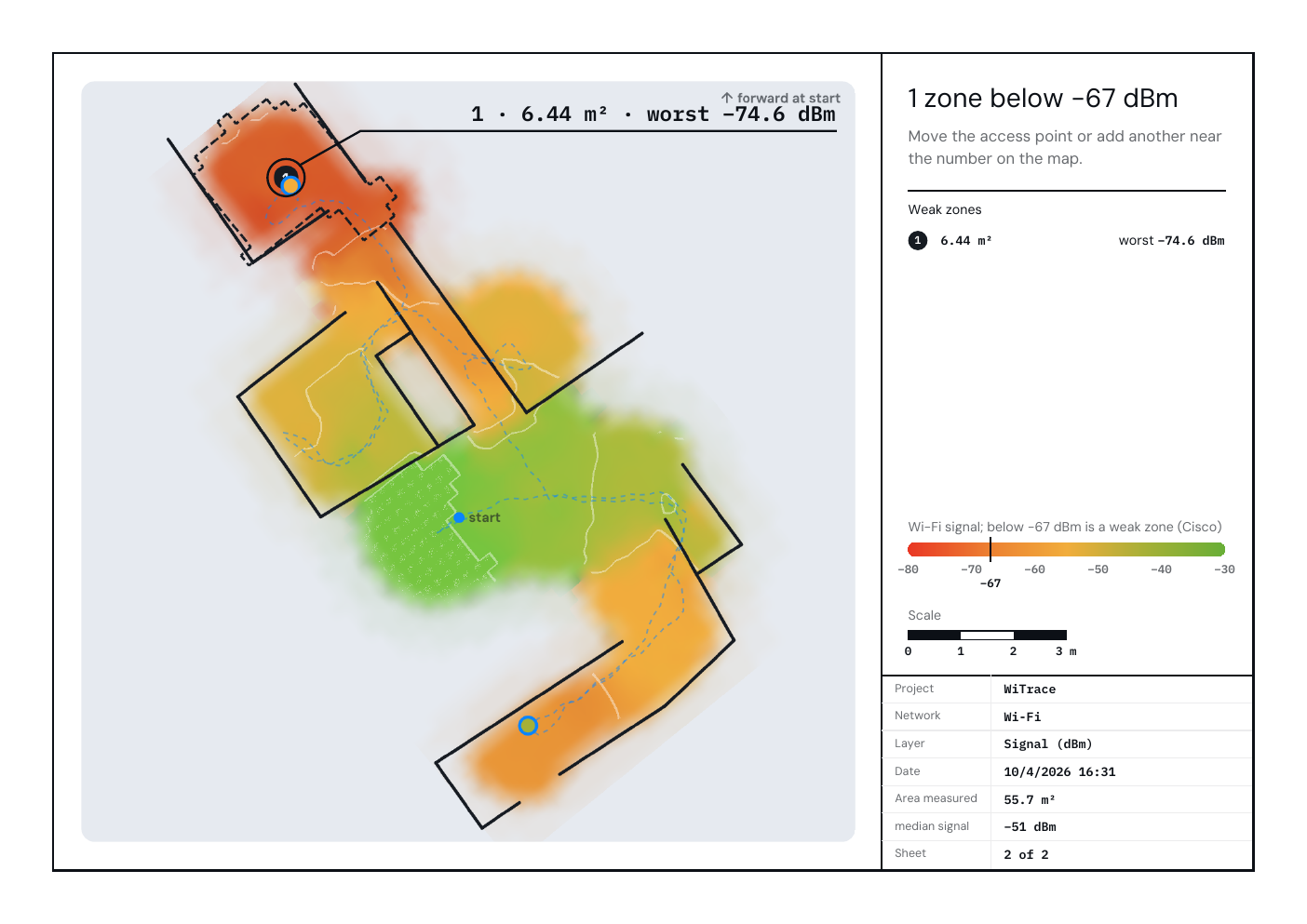
Every weak zone comes out numbered, with its area, its worst spot and where to put the access point.
The report that reveals the gaps
A PDF with the spots where video calls, video and games don't get the quality you deserve, and what to do about each one. Moved the access point or added another? Do a new walk and see the difference.
Just the Wi-Fi, without the internet in between
Want to know if it’s the Wi-Fi or the internet? Take the WiTrace server on a USB drive and plug it into any computer on the same network, Mac, Windows or Linux. The phone finds it on its own and measures only the path to it.
- Phone
- Wi-Fi
- WiTrace server, on a USB drive
For those who like numbers
Behind every color, the full number, one tap away:
- the signal in dBm, from −80 to −30, with the weak zone below −67 dBm, plus the Wi-Fi band and channel;
- response time and loss to the router, live, while you walk;
- at each measured spot, download, upload, how much worse the network gets when it’s busy, and the score for each use;
- and every whole walk, to keep or open wherever you like.
WiTrace is coming soon.
Free, for Android and iPhone.